Waydroid on Fedora
There is a new Waydroid build for fedora that don’t need a custom kernel, by dropping ashmem requirements, you can check out there.
Waydroid need kernel with ashmem and binder
Ashmem and binder is what makes “Android kernel” different from traditional desktop’s. They are not built with Fedora’s stock kernel for now (But they are planning so). So we need to install a kernel with ashmem and binder support.
Use XanMod Kernel
You can find XanMod Kernel from Copr, just follow instructions and you are all set. And you need to add psi=1 to kernel command line during boot to avoid a lmkd crash.
XanMod kernel is causing lmkd to crash, use self built kernel instead
Build Kernel with Ashmem and Binder
Fedora don’t ship kernel with Ashmem and Binder support, we need to build on our own. Before starting please confirm your secboot status is off, or your have set up self signing secboot flow.
Then install required package to build kernel by sudo dnf install mock fedpkg. Clone fedora’s kernel packaging files:
fedpkg clone -a kernel
git checkout f34 # use your fedora release versionkernel-localCONFIG_ASHMEM=y
CONFIG_ANDROID=y
CONFIG_ANDROID_BINDER_IPC=y
CONFIG_ANDROID_BINDER_DEVICES="binder,hwbinder,vndbinder"
CONFIG_STAGING=y
CONFIG_ANDROID_BINDERFS=n
CONFIG_ANDROID_BINDER_IPC_SELFTEST=nThen open kernel.spec, find ./process_configs.sh $OPTS kernel %{rpmversion} and change it to ./process_configs.sh $OPTS kernel %{rpmversion} ||:.
Finally, execute fedpkg mockbuild, wait for several minutes, you will find built kernel in results_kernel folder, just install package kernel, kernel-core and kernel-modules should be enough.
Install Waydroid
I have build waydroid in Copr, you can find them here. And install them by
sudo dnf copr enable yanqiyu/waydroid
sudo dnf install waydroid/etc/gbinder.d/anbox.conf for a XanMod kernel[Protocol]
/dev/anbox-binder = aidl2
/dev/anbox-vndbinder = aidl2
/dev/anbox-hwbinder = hidl
[ServiceManager]
/dev/anbox-binder = aidl2
/dev/anbox-vndbinder = aidl2
/dev/anbox-hwbinder = hidlThen just follow Official Waydroid Website
sudo waydroid init
sudo systemctl start waydroid-container
waydroid show-full-ui
To begin using Waydroid.
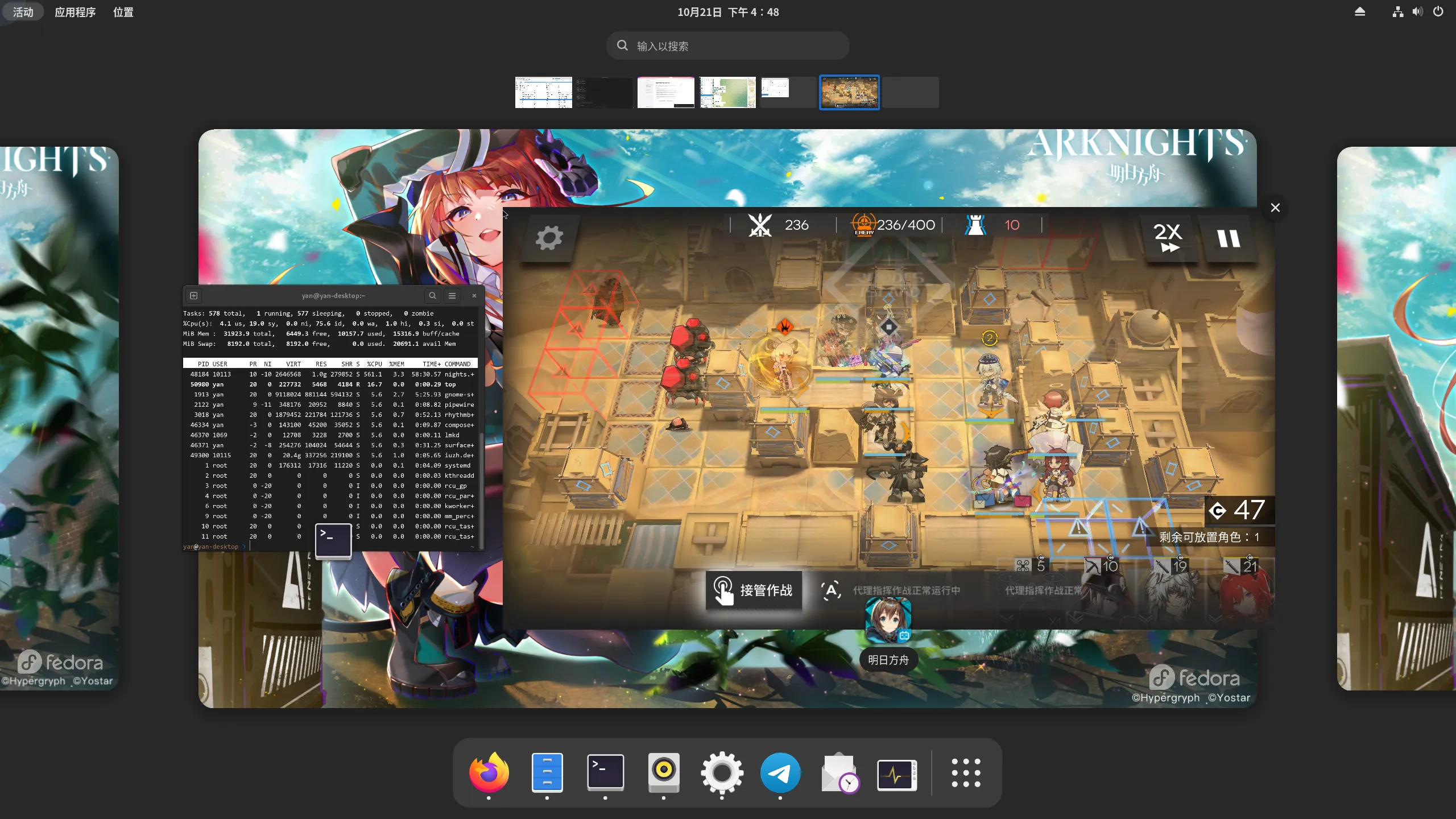
Known problem
Multi-window mode is not working for me, you can refer to this issue
By default, you are getting wrong colors in Waydroid if you are on Gnome, you can workaround this by enabling inverted colors in Android Settings, but doing this will break Multi-window mode. The only way to solve this is to make mutter compatible with android’s frame buffer, related patches are merged upstream, just stay tuned and wait for update.
The patched mutter for f35 in available in copr or build on your own with patch:
--- mutter-41.0/src/wayland/meta-wayland-dma-buf.c  2021-09-19 21:37:45.655426700 +0800
+++ mutter-41.0-patched/src/wayland/meta-wayland-dma-buf.c  2021-10-26 15:56:05.667487234 +0800
@@ -115,9 +115,15 @@ meta_wayland_dma_buf_realize_texture (Me
     case DRM_FORMAT_XRGB8888:
       cogl_format = COGL_PIXEL_FORMAT_RGB_888;
       break;
+    case DRM_FORMAT_XBGR8888:
+      cogl_format = COGL_PIXEL_FORMAT_BGR_888;
+      break;
     case DRM_FORMAT_ARGB8888:
       cogl_format = COGL_PIXEL_FORMAT_ARGB_8888_PRE;
       break;
+    case DRM_FORMAT_ABGR8888:
+      cogl_format = COGL_PIXEL_FORMAT_ABGR_8888_PRE;
+      break;
     case DRM_FORMAT_XRGB2101010:
       cogl_format = COGL_PIXEL_FORMAT_ARGB_2101010;
       break;
@@ -706,7 +712,9 @@ dma_buf_bind (struct wl_client *client,
   wl_resource_set_implementation (resource, &dma_buf_implementation,
                                   compositor, NULL);
   send_modifiers (resource, DRM_FORMAT_ARGB8888);
+  send_modifiers (resource, DRM_FORMAT_ABGR8888);
   send_modifiers (resource, DRM_FORMAT_XRGB8888);
+  send_modifiers (resource, DRM_FORMAT_XBGR8888);
   send_modifiers (resource, DRM_FORMAT_ARGB2101010);
   send_modifiers (resource, DRM_FORMAT_ABGR2101010);
   send_modifiers (resource, DRM_FORMAT_XRGB2101010);